You applied. For once, you didn't disappear into a void.
Everyone who has ever job-hunted knows the silence after you hit apply. Nexus was built two-sided from the first click, so the candidate gets a real place of their own: one spot that stays current, holds every document, carries the join link, and takes your work and your questions. This one's for the candidate.
Everyone who has ever job-hunted knows the feeling. You hit apply, an auto-reply thanks you for your interest, and then nothing. No word on whether a human read it. No idea what happens next, or when, or if. The role sits open for weeks and you refresh your inbox like it owes you money. Hiring software has treated the candidate as a row in someone else's database for so long that being left in the dark has become the experience every candidate has learned to expect.
Nexus was built two-sided from the first click. That means you get a real place of your own, not a confirmation email and a shrug.
One place that remembers you applied
The moment you apply, you get a portal. It's yours, it persists, and it's always current. Where you are in the process, what stage comes next, how long each step usually takes: all of it lives in one spot you can come back to any time. No archaeology through a month of email. No wondering whether the version you're looking at is stale. You open the portal and it's just there, up to date.
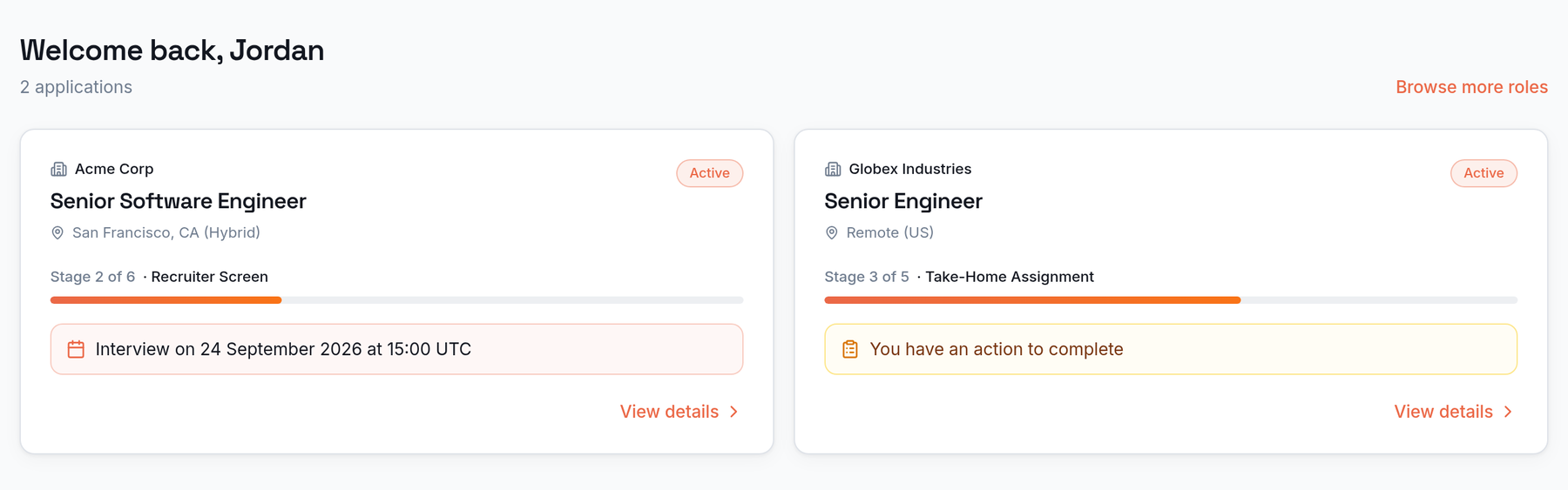
Everything for the role, in one place
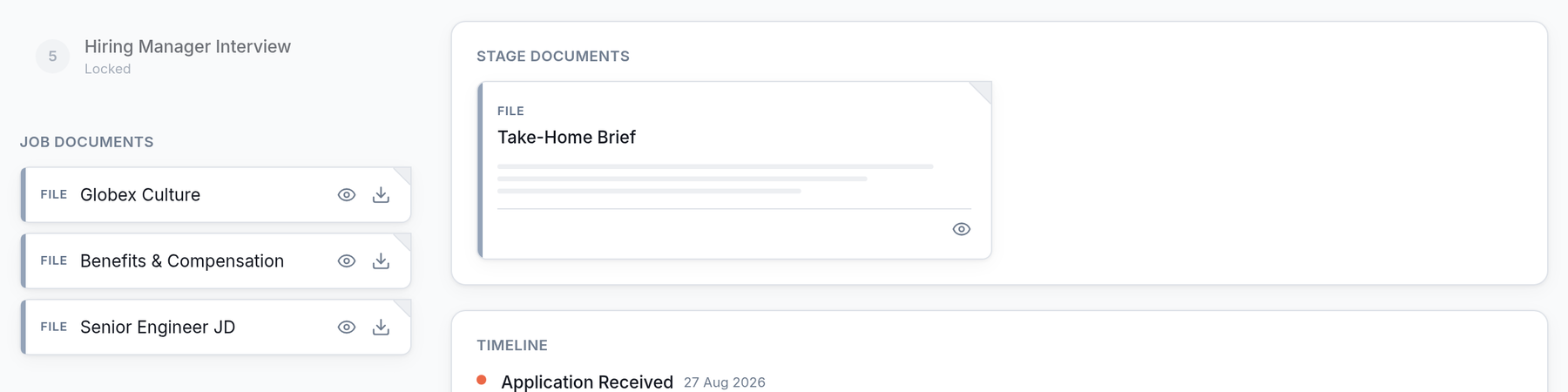
The job description, the culture doc, the benefits overview, the take-home brief for the stage you're on: the documents the team wants you to have all live in the portal, next to your progress. When a stage adds its own materials, they show up on that stage's card. You never dig back through a forwarded email chain to find the one attachment. It's the difference between a home and a thread.
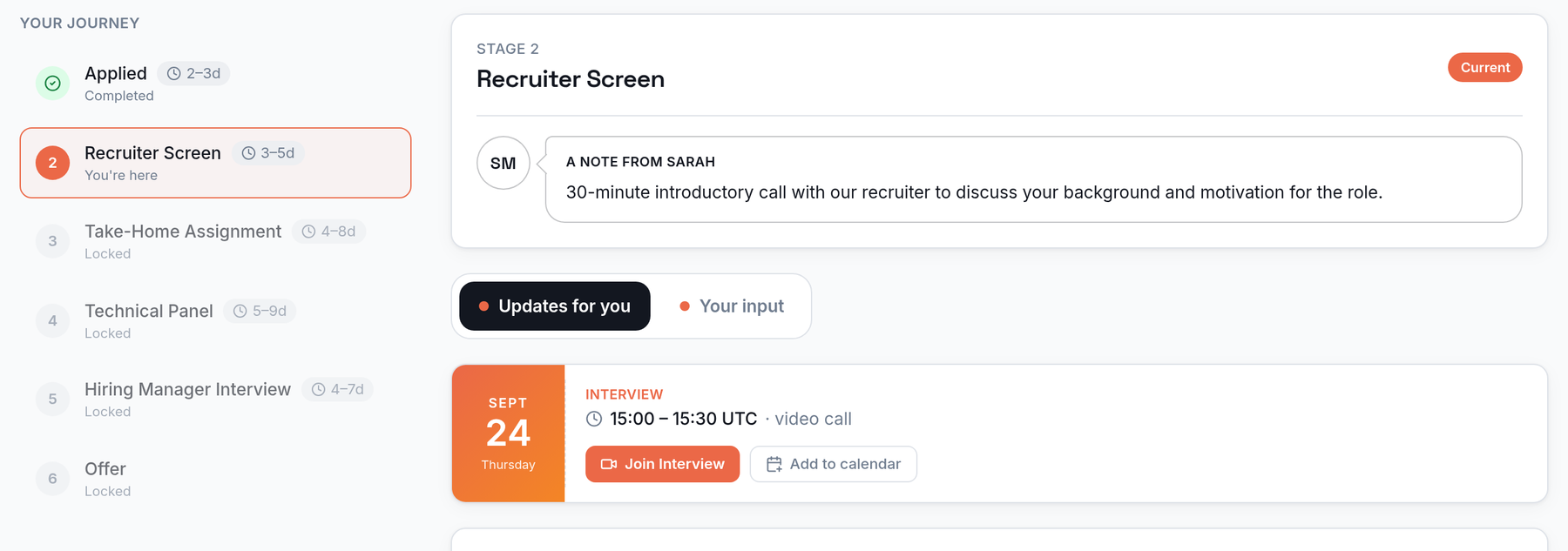
Join your interview from the same place you applied
When an interview gets scheduled, the details land in your portal, and so does the join link. You don't hunt for a calendar invite forwarded three times, or scroll for which email had the video-call line. It's on the card for that stage, waiting, current, with an add to calendar next to it. The place you applied is the place you show up.
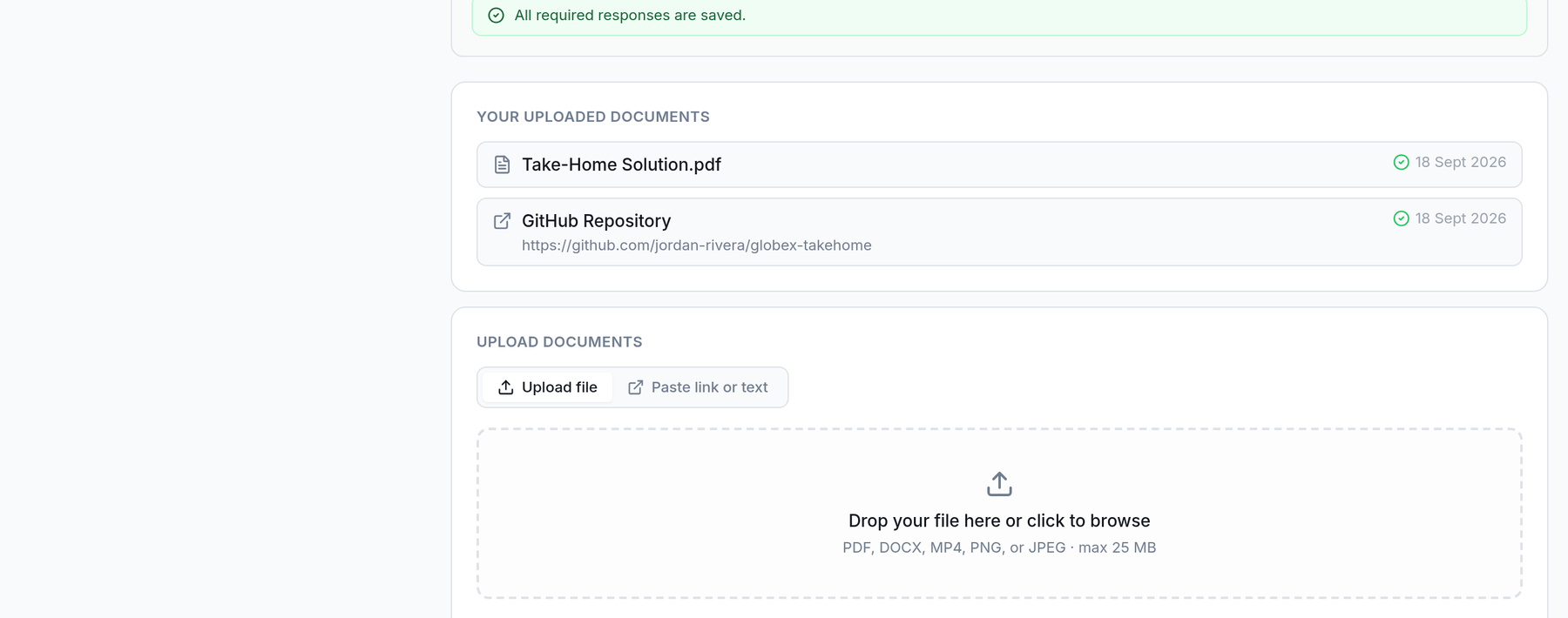
Bring your work, and your questions, before you're in the room
Got a take-home? Upload it straight into the portal, drag-and-drop, no email thread and no "did it go through?" Your answers save as you type, so there's no submit-button anxiety and nothing to lose. And if there's something you want to ask before the interview, you can send your questions ahead: the panel sees them beforehand, so you walk in already on the same page instead of spending the first ten minutes getting there.
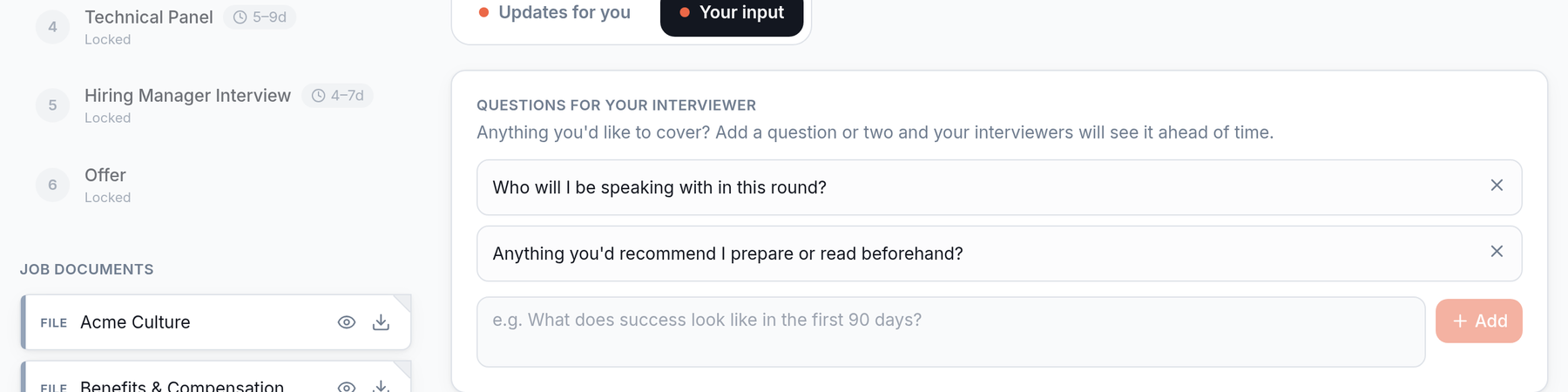
Updates on one side. Your input on the other.
The portal splits the noise cleanly. Updates for you is everything the team has done: you advanced, an interview got booked, a document arrived. Your input is the short list of what's actually on you. You land in the portal, see where things stand, then move to what you owe. No tall intimidating stack, no guessing which thing matters today.
None of this is a nicety bolted on as an afterthought. A one-sided ATS structurally can't build it, because it never kept a place for you after you applied. Nexus did, because it was built two-sided natively.
Why this is the part we're proudest of
We talk a lot about what a two-sided ATS does for hiring teams. This is the other half, and honestly the half that made us want to build Nexus in the first place. Every one of us has been the candidate in purgatory, and we didn't want to ship one more system that leaves people there. So every warm, human touch in the portal is there on purpose. You applied. You deserve to know where you stand. With Nexus, you always will.